[MISC] findme v2 — GlacierCTF 2025
Summary
The challenge consisted of a single PDF file containing hidden embedded data. After reviewing its
metadata with exiftool and carving it with binwalk, a PNG image was found
inside. This image contained the challenge flag.
Provided File
The challenge included one file named chall.pdf. Nothing in the PDF preview hinted at
the flag.

Step 1 — Checking Metadata
I started by inspecting the PDF metadata with exiftool to look for unusual fields or
embedded references.
exiftool chall.pdf
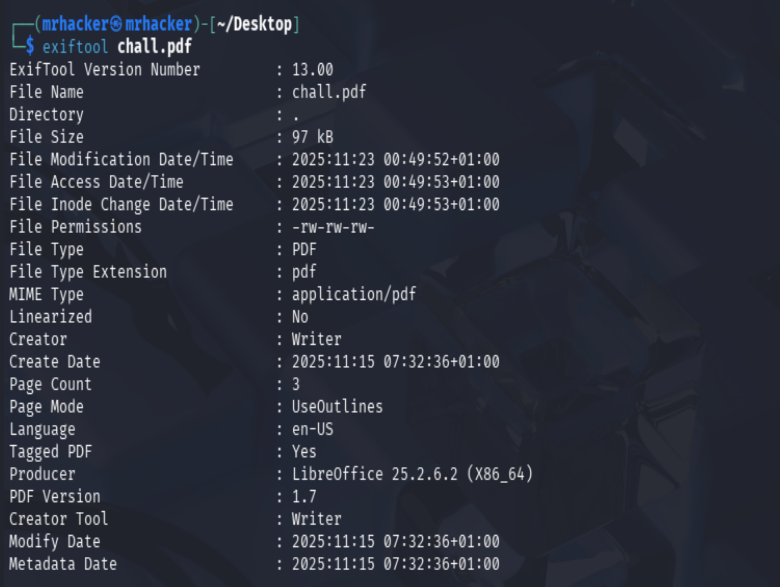
No meaningful metadata appeared, but it confirmed that nothing obvious was stored in metadata fields.
Step 2 — Extracting Embedded Files
I used binwalk to analyze the structure of the PDF and extract any embedded content.
binwalk chall.pdf
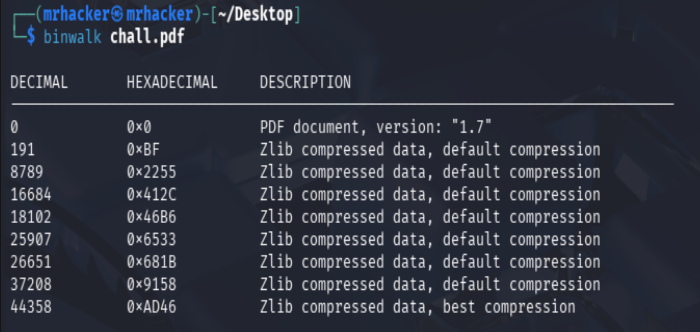
Binwalk created an extraction directory named _chall.pdf.extracted/, which contained
several files.
Step 3 — Reviewing Extracted Files
ls -la _chall.pdf.extracted
and
file *
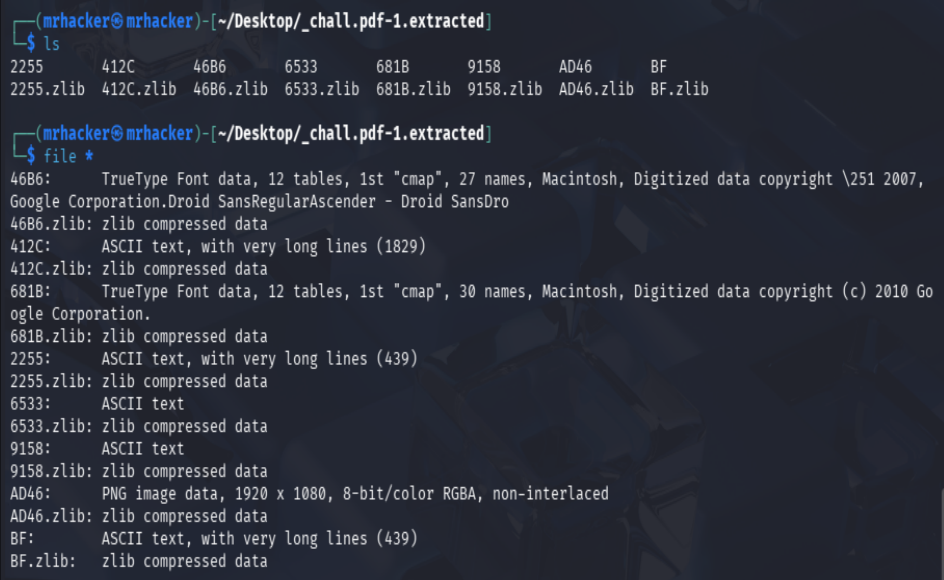
One of the extracted files was a PNG image, which stood out compared to the others.
Step 4 — Opening the PNG
Opening the PNG revealed the flag directly inside the image.

The submission was accepted without issues:

Lessons Learned
- PDF files often contain embedded objects beyond simple text and images.
exiftoolis useful for quick metadata checks but not always enough.binwalkis highly effective for carving and identifying hidden content.- MISC challenges frequently rely on inspecting file internals rather than complex exploitation.