[PROG] Mole Counter — HeroCTF v7
Summary
The challenge provided images containing multiple moles on a grassy background. The task was to automatically count the number of moles and send the correct count back to the server. To solve this, I used OpenCV to convert each image to HSV, apply a mask to isolate brown tones, clean the result with morphological operations, and count the detected connected components.
Challenge Prompt
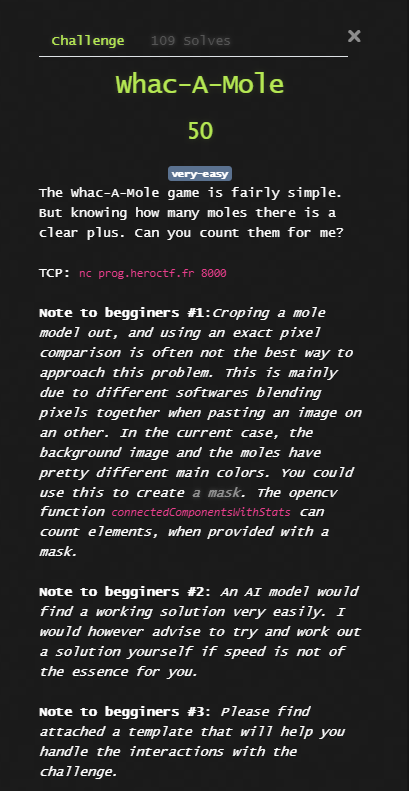
The original prompt is shown below:
Approach
1. Color Filtering via HSV
Brown is difficult to detect reliably in RGB space, so the image was converted to HSV, which makes selecting color ranges significantly easier. I defined a lower and upper color bound corresponding to brown-ish tones commonly found in the mole sprites.
2. Creating a Mask
Using cv2.inRange, I created a binary mask highlighting all pixels within the brown HSV
range. This isolates each mole from the background.
3. Cleaning the Mask
To avoid noise, the mask was processed with morphological operations (open and close) using a 5x5 kernel. This ensured that each mole formed a solid connected component.
4. Counting Components
Finally, connectedComponentsWithStats was used to count the detected regions.
The background label is always 0, so the final mole count is n_labels - 1.
Python Script
The full script I used is shown below:
from pwn import *
import base64
import cv2
import numpy as np

HOST = "prog.heroctf.fr"
PORT = 8000

io = remote(HOST, PORT)

def count_moles(img_bytes):
    # Decode image
    nparr = np.frombuffer(img_bytes, np.uint8)
    img = cv2.imdecode(nparr, cv2.IMREAD_COLOR)

    # Convert to HSV
    hsv = cv2.cvtColor(img, cv2.COLOR_BGR2HSV)

    # Threshold for brown-ish colors
    lower = np.array([5, 50, 50])
    upper = np.array([25, 255, 255])
    mask = cv2.inRange(hsv, lower, upper)

    # Clean mask
    kernel = np.ones((5, 5), np.uint8)
    mask = cv2.morphologyEx(mask, cv2.MORPH_OPEN, kernel)
    mask = cv2.morphologyEx(mask, cv2.MORPH_CLOSE, kernel)

    # Count components
    n_labels, labels, stats, centroids = cv2.connectedComponentsWithStats(mask)

    # Label 0 = background
    return n_labels - 1
Execution
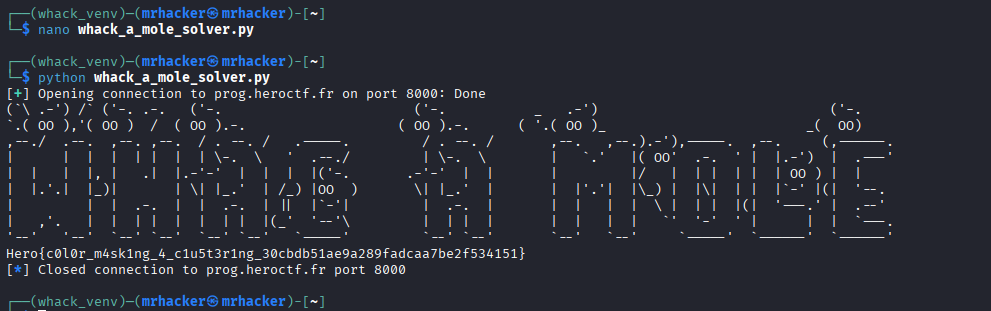
After writing the script, I connected to the remote service, received each image, counted the moles, and returned the value to the server.